
Get More Google Reviews Automatically After Every Completed Job
Stop Chasing Reviews. Let AI-Powered Automation Do the Follow-Up.
Your customers are busy, and even satisfied customers forget to leave reviews. 10XAI automatically sends personalized Google review requests by text and email after completed jobs, helping you build a consistent flow of authentic customer feedback without adding more work to your day.
Works with supported CRM workflows • Automated SMS & Email • Designed for Authentic Customer Feedback
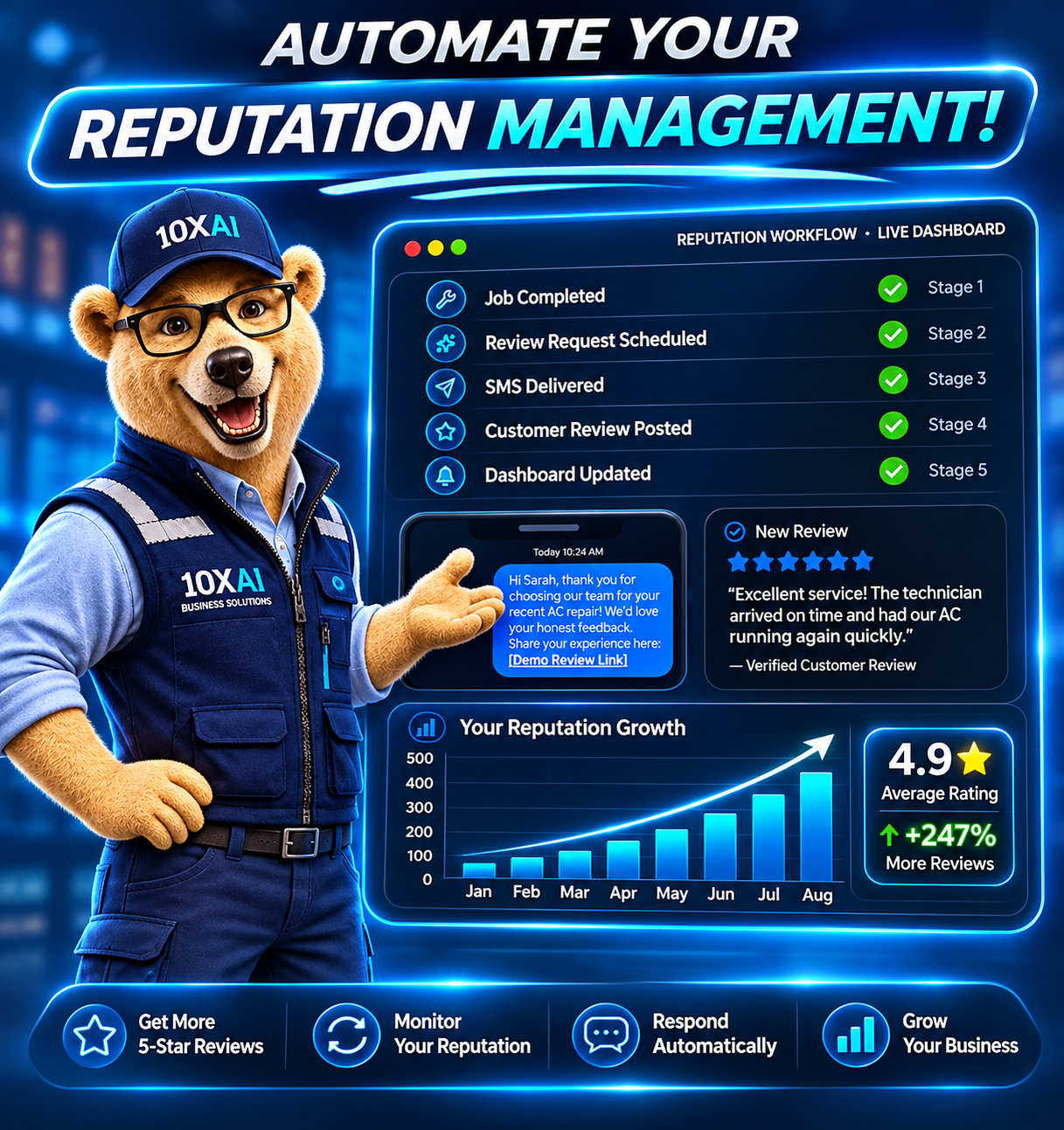
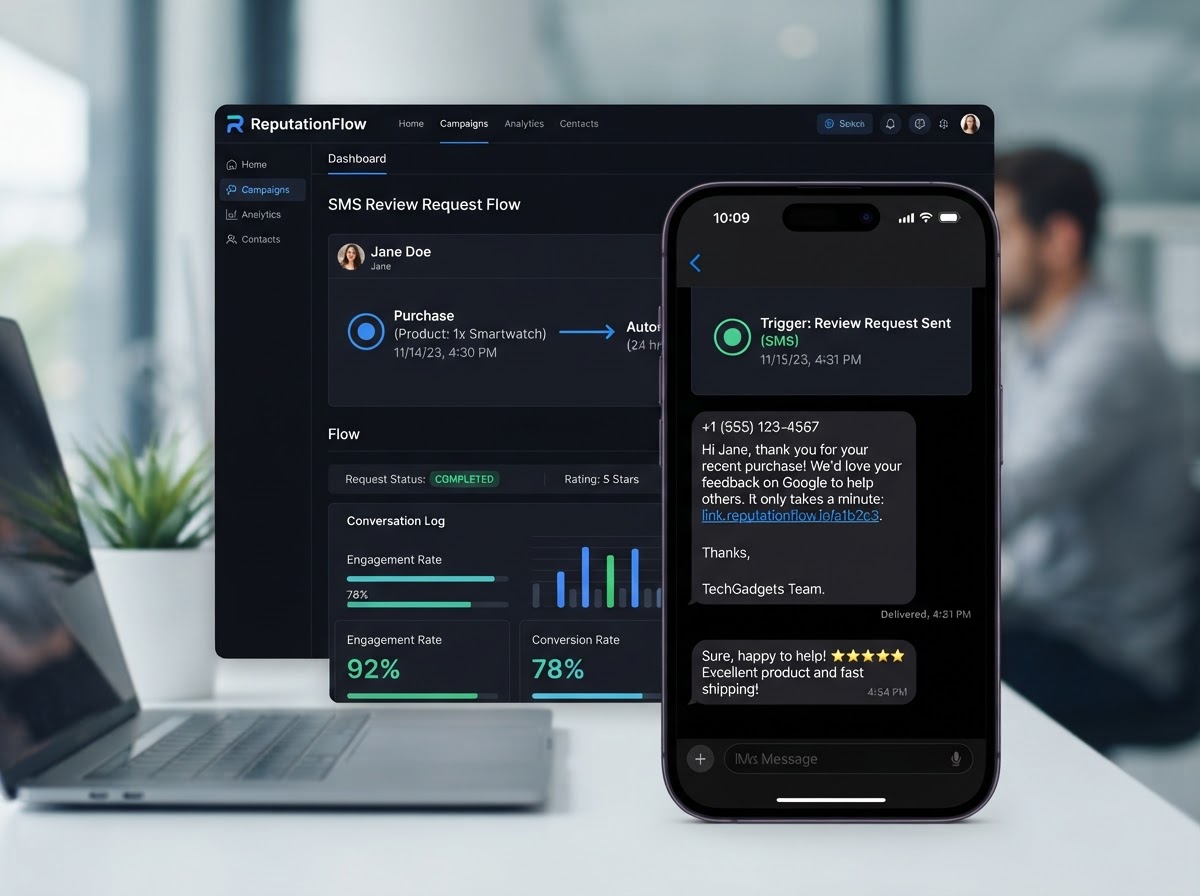
More Five-Star Reviews, Requested Automatically After Every Job
The moment a service is marked complete, 10XAI sends a personalized SMS and email asking your customer to share their experience on Google. No manual follow-up, no forgotten requests — just a steady stream of authentic reviews that lift your local ranking and win more business.
Illustrative demo data — not actual customer reviews.
You're Completing Great Jobs. But Are You Getting the Reviews You Deserve?
Every completed job represents an opportunity to strengthen your online reputation. But when review requests depend on busy technicians or office staff remembering to follow up, those opportunities are easy to miss.
Customers Forget
Even happy customers may never leave a review unless they're invited at the right time.
Your Team Is Busy
Technicians are focused on finishing jobs, not remembering to ask customers for online reviews.
Follow-Up Is Inconsistent
Without a system, some customers receive a review request while others never hear from you.
Competitors Keep Building Trust
Businesses with a steady stream of recent, authentic reviews can make a stronger first impression.
The solution isn't adding more work to your day. It's automating the process.
More Reviews. Less Work. A Stronger Business Reputation.
Six ways automated review generation pays off for your team.
Automatically Request Reviews
Send personalized invitations when eligible customer jobs are completed.
Reach Customers by SMS & Email
Use familiar communication channels to make leaving an honest review simple.
Create Consistent Follow-Up
Reduce missed review opportunities with configurable reminder workflows.
Strengthen Local Visibility
Build a stronger review presence that can support local search prominence and customer discovery.
Save Valuable Staff Time
Reduce repetitive administrative tasks by automating your review invitation process.
Track Your Reputation Growth
Monitor request activity, new reviews, average ratings, and response performance.
Review quantity and ratings can influence local search prominence, but individual ranking improvements are not guaranteed.
See How One Completed Job Starts the Entire Review Process
Experience a working example of how 10XAI connects your customer workflow to automated review invitations.
- Job Completed
- Automation Triggered
- SMS / Email Sent
- Customer Posts Review
- Dashboard Updated
Job Completed
- Business
- Demo HVAC Company
- Customer
- Sarah Mitchellfictional demo customer
- Job Type
- Air Conditioning Repair
- Status
- In Progress
Automation Triggered
Workflow Triggered
Review Request Automation Started
- Contact permissions verified
- Duplicate request check passed
- Eligible for review request
SMS / Email Sent
Customer Posts Review
Sending or clicking a request link does not prove a real review was posted.
Dashboard Updated
Reviews
48
Avg. Rating
4.60
Simulated Data
Set It Up Once. Let the System Handle the Follow-Up.
Five steps from job completion to a monitored review.
- Step 1
Complete the Customer Job
When a job is marked completed in your CRM or a supported connected field-service system, the review workflow becomes eligible to start.
- Step 2
Check Customer Eligibility
The workflow checks contact permissions, valid communication details, and duplicate request rules.
- Step 3
Send a Personalized Review Request
A customized text message or email invites the customer to leave an honest review.
- Step 4
Follow Up When Appropriate
Configurable reminders can be sent based on workflow timing and supported interaction signals.
- Step 5
Monitor Incoming Reviews
New supported reviews appear in the connected reputation dashboard for monitoring, reporting, and response management.
The Right Message. At the Right Time.
Switch industries to see example SMS and email review request templates.
Thanks for choosing our HVAC team! We appreciate your business. Would you share your honest experience with our service? [ReviewLink]
Example templates only — placeholders like [ReviewLink] and {CustomerName} are populated at send time. Dental examples avoid treatment details or protected patient information.
Change Industry
Each industry has its own tone and trigger. Select another to update both previews.
Connect Review Automation to the Way Your Business Already Works
10XAI can configure review requests around qualifying business events, such as completed service appointments, finished projects, or CRM status changes.
CRM Platform
Connect review requests to opportunities, appointments, forms, and supported workflow triggers.
Field Service Management Systems
Use supported integrations or APIs to trigger review automation after completed customer jobs.
Scheduling & Booking Systems
Configure customer communication around completed appointments where applicable.
Custom Business Workflows
Use approved webhooks and integration platforms to connect compatible business software.
- Job Completed
- CRM / Integration
- 10XAI Automation
- SMS / Email
- Customer Review Opportunity
- Reporting Dashboard
Not every field-service platform integrates natively. We'll confirm what's available for your specific software.
Designed for Real Businesses That Complete Real Jobs
Select an industry to see a typical triggering event and recommended KPI.
Emergency AC repair completed.
Job marked Completed.
Automated customer follow-up.
Review invitations per 100 eligible completed jobs.
Dental examples use compliant, neutral review invitations. Not all dental patients are automatically eligible for SMS marketing — eligibility and consent are checked first.
How Many More Review Opportunities Could You Create?
Model a realistic review-generation scenario for your business.
Modeled Results
- Eligible monthly customers
- 90
- Estimated reviews from the modeled workflow
- 13.5
- Difference vs. current review volume
- +8.5
- Annualized modeled review volume
- 162
This is an illustrative planning tool. Actual results depend on customers, message deliverability, eligibility, and review-platform behavior. No review volume is guaranteed.
Build My Review AutomationAuthentic Reviews. Ethical Automation.
10XAI is designed to help businesses invite genuine customer feedback, not manufacture ratings. We believe the strongest online reputation comes from real customer experiences and consistent service.
- Invite all eligible customers fairly.
- Never offer rewards for positive reviews.
- Never suppress or selectively block negative feedback.
- Treat customer complaints seriously and separately from public review requests.
We do not build positive-review gating, redirect only satisfied customers to public review profiles while sending unhappy customers exclusively to private forms, or claim that software can automatically delete legitimate negative reviews. Customer recovery workflows may operate independently of neutral public review invitations.
Manual Review Requests vs. Automated Review Generation
A side-by-side look at how the process changes.
Automated capabilities depend on configured workflows and supported integrations — not unconfigured third-party software.
Your Happy Customers May Be Your Best Marketing Asset
Before calling a contractor or scheduling an appointment, customers often look at reviews to understand what other people experienced. A consistent review invitation process can help you build a more current and informative online reputation.
Quick, professional service. The technician explained everything before starting.
Easy to schedule and they showed up on time. Would recommend to neighbors.
Good experience overall. Fair pricing and friendly staff.
Fictional sample reviews for display concept only — not an official endorsement.
Automated Google Review Generation: Frequently Asked Questions
Straight answers about how automated review generation works.
Stop Missing Review Opportunities. Start Automating Your Reputation.
Every completed job is an opportunity to build customer confidence. Discover how 10XAI can help your business request more authentic reviews, automate follow-up, and save valuable time.
No obligation • Customized recommendations • Built for your business